
Usage And Events
Usage and event data help you understand the state of a namespace. They do not replace application monitoring, but they provide useful signals for connection, configuration, and error situations.
Usage
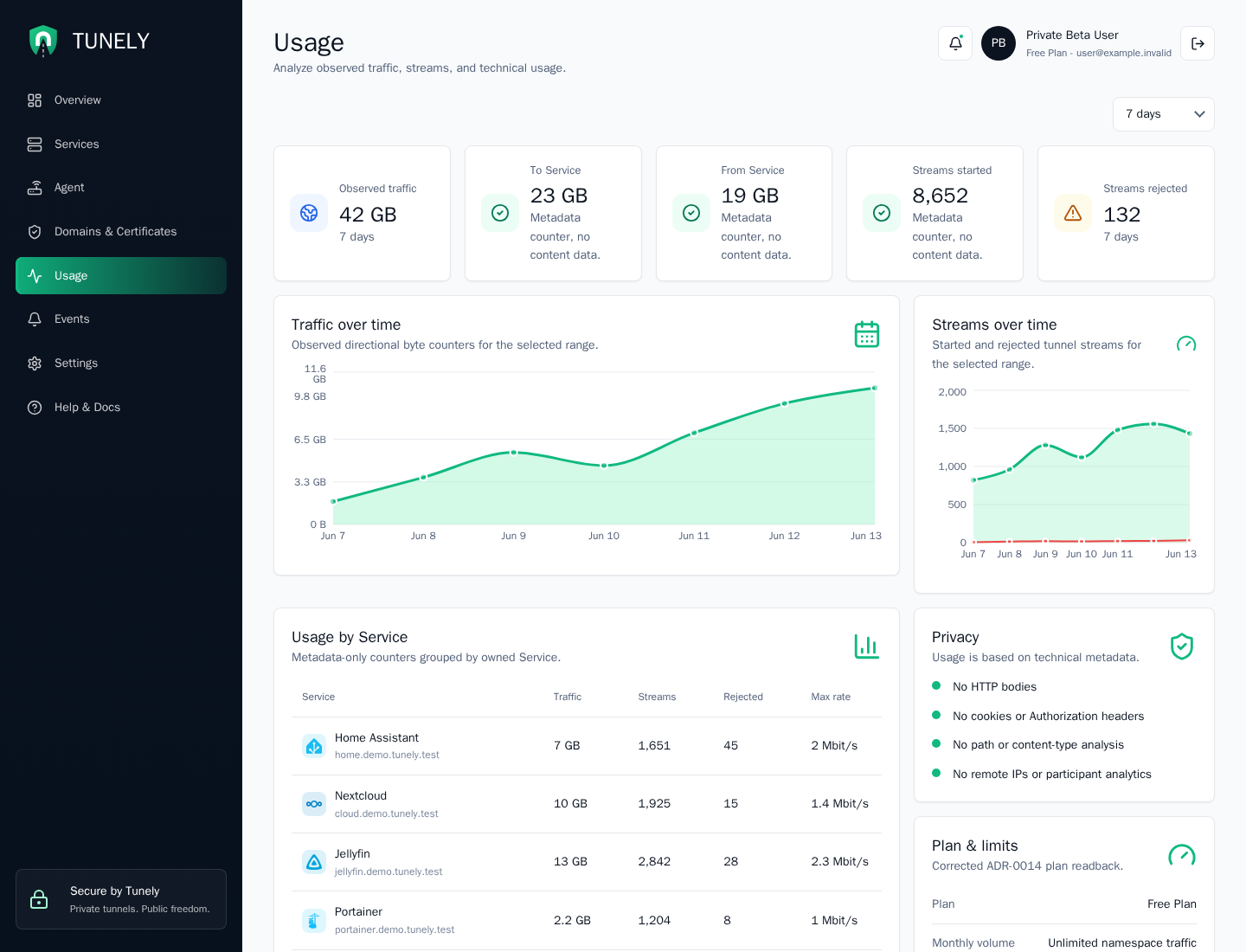
Usage views answer questions such as:
- Which services are used?
- Which agents report activity?
- Are there unusual changes in connection patterns?
Tunely should process only the metadata needed for reachability, billing, abuse prevention, and support. Details will be aligned with the product, legal, and operational documentation.
The usage page contains:
| Area | Meaning |
|---|---|
| Range selector | Changes the time window for traffic and stream counters. |
| Summary cards | Observed traffic, direction split, started streams, and rejected streams. |
| Traffic chart | Directional byte counters for the selected range. |
| Stream chart | Started and rejected stream counts over time. |
| Usage by Service | Metadata-only counters grouped by owned service. |
| Privacy card | Reminds users which content data is not inspected. |
Events
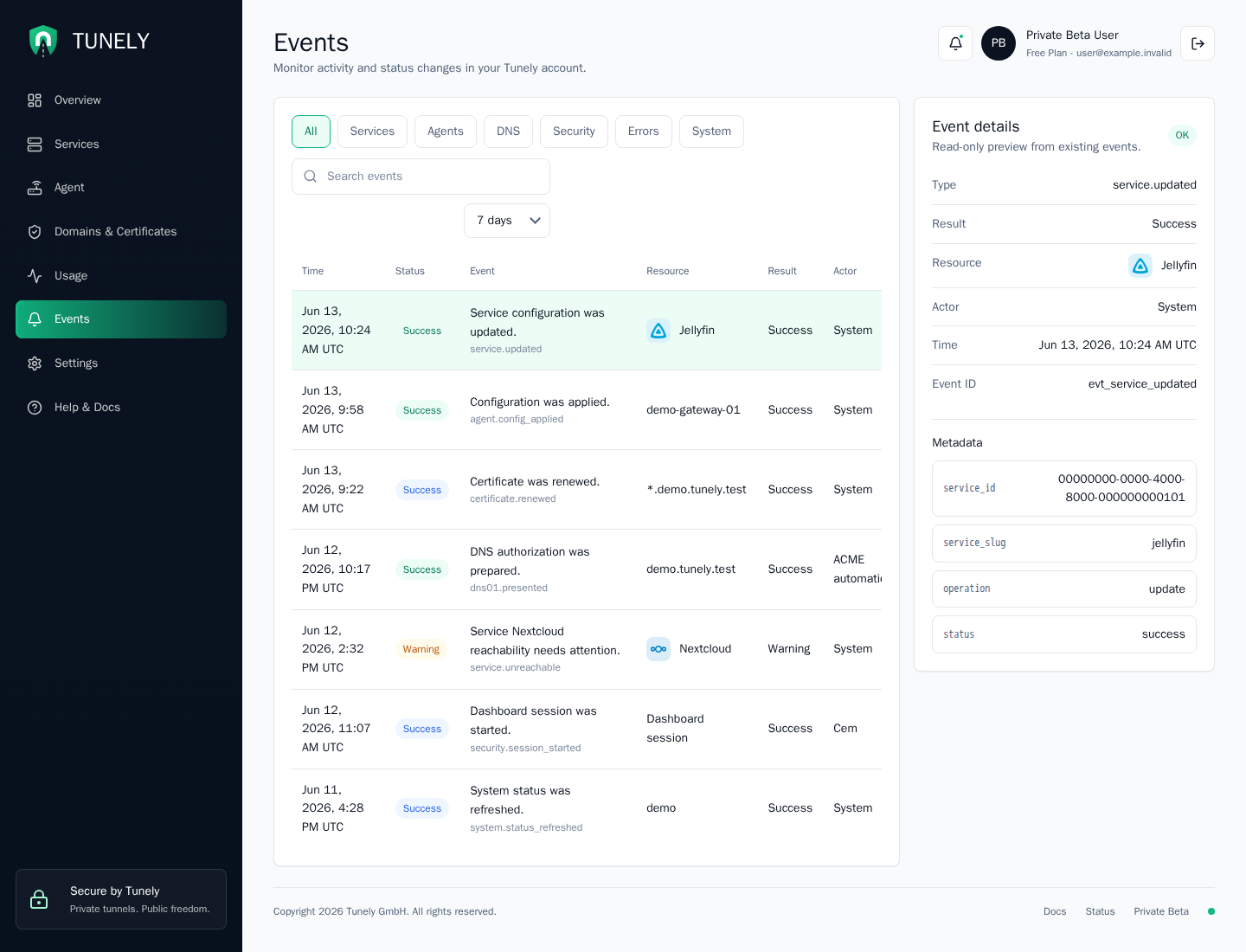
Events show changes and relevant system states. Examples include agent registration, service changes, failed status reports, and security-relevant user actions.
The events page supports category filters, search, range selection, and a read-only detail panel. The selected event exposes safe metadata only, such as resource IDs, slugs, operation names, and status codes.
Use events when you need to answer:
- What changed recently?
- Did a service, DNS, certificate, or agent action fail?
- Was the action performed by the system or by a user session?
Troubleshooting
For an unreachable service, the usual order is:
- Check agent status.
- Check service configuration.
- Check the internal target address from the agent perspective.
- Review events for recent error hints.