
Publish Services
A service is an application that should be reachable through a Tunely address. The service points to an internal address that the agent can reach.
Service Model
| Field | Meaning |
|---|---|
| Name | Human-readable dashboard name. |
| Agent | Local runtime that can reach the target service. |
| Internal target address | LAN, host, or container address from the agent perspective. |
| Public address | Tunely address where the service becomes reachable. |
| Status | Result from configuration, agent reporting, and reachability. |
Services Inventory
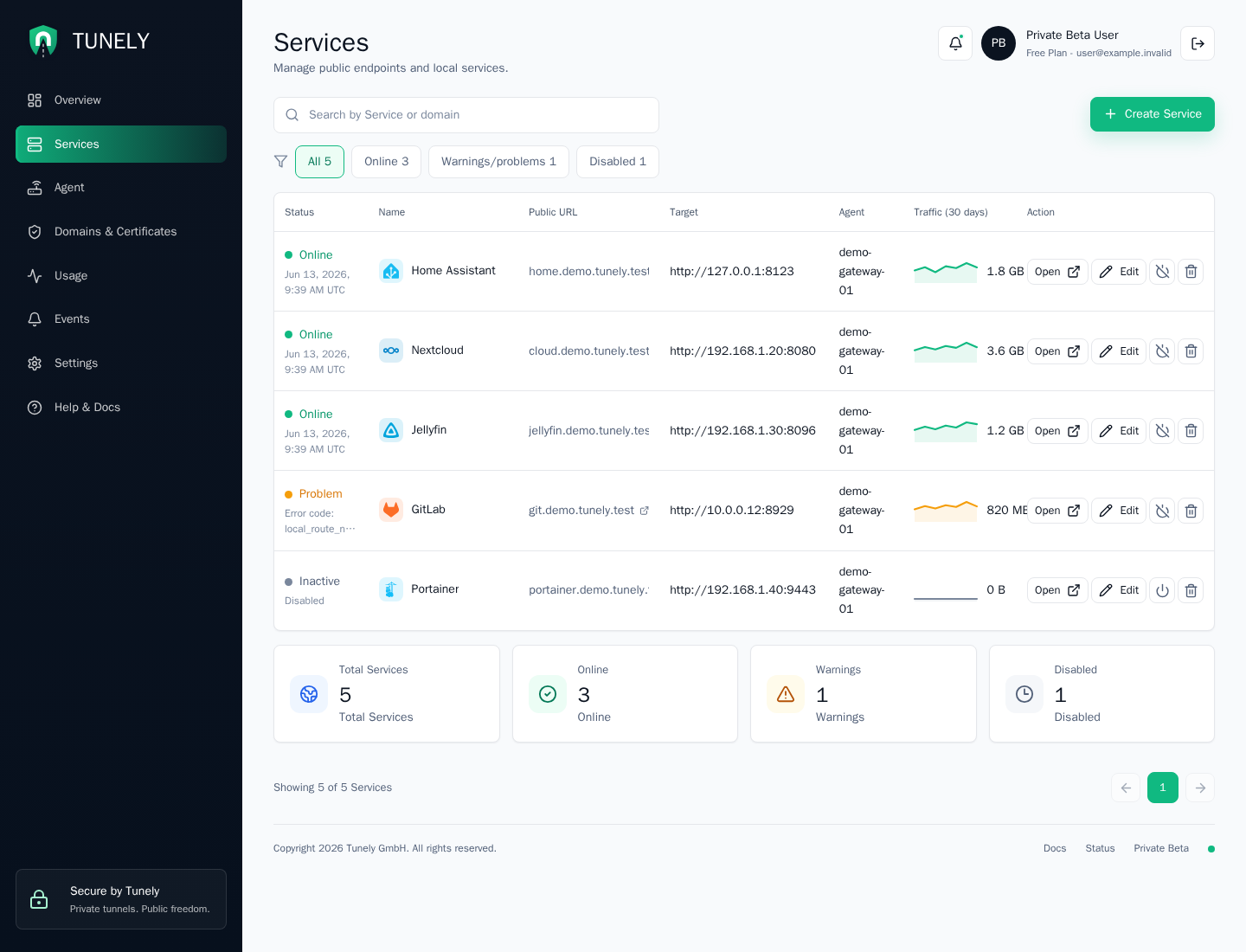
The services page is the main operating view for published applications. It combines filtering, status, target information, traffic counters, and common actions.
| Area | Purpose |
|---|---|
| Search | Find a service by name, slug, domain, target, or agent. |
| Filters | Switch between all, online, warnings/problems, and disabled services. |
| Table | Review status, public URL, target, assigned agent, and traffic. |
| Row actions | Open the public service, edit settings, disable or re-enable, and delete. |
| Summary cards | Check total, online, warning, and disabled counts. |
The screenshot uses fixture data. In a real setup, target addresses should be chosen from the agent perspective and should not expose secrets.
Add a Service
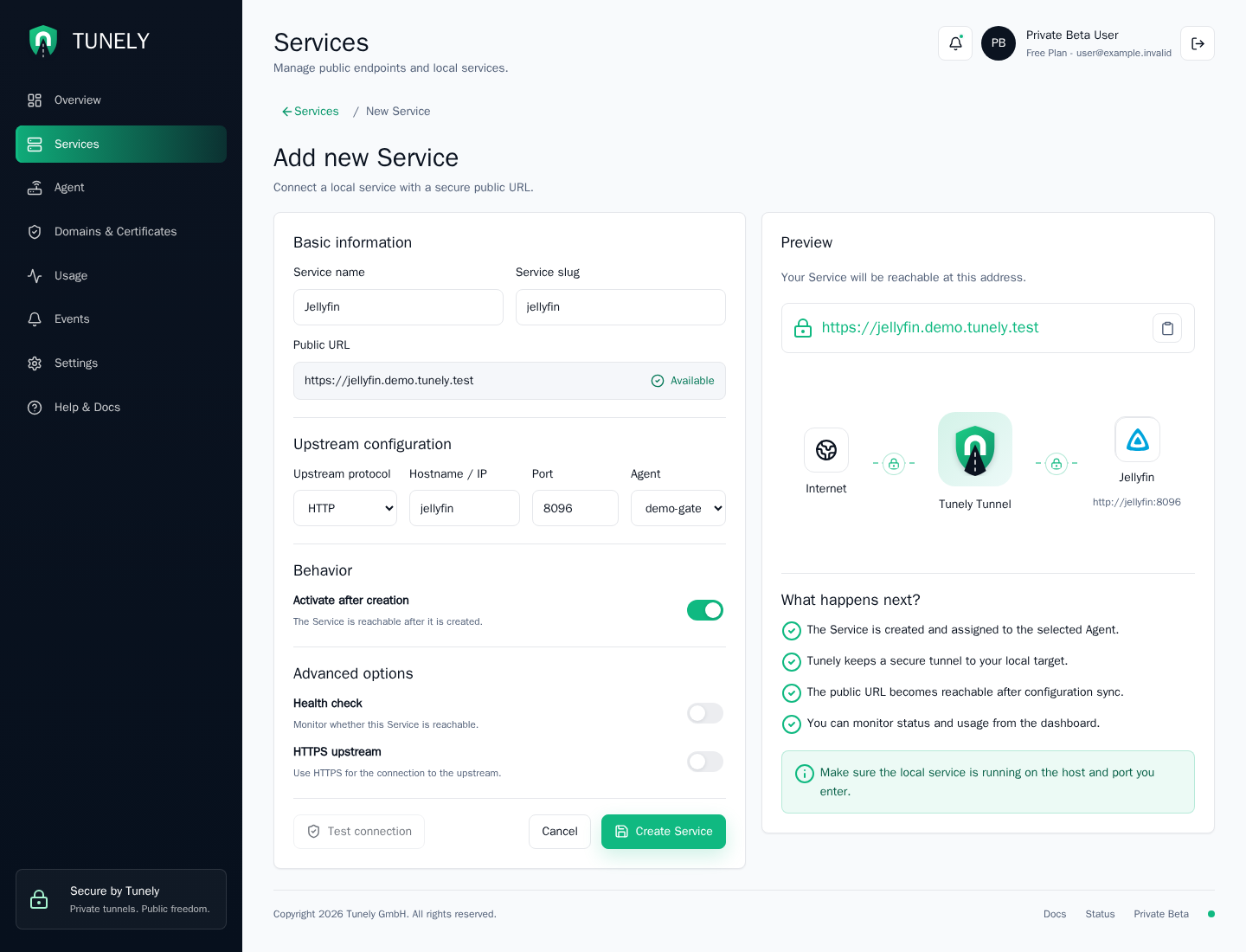
The add-service form has four main parts:
| Part | Meaning |
|---|---|
| Basic information | Human-readable service name and service slug. |
| Public URL | Preview of the Tunely address that will be created. |
| Upstream configuration | Protocol, hostname or IP, port, and assigned agent. |
| Behavior and advanced options | Whether to activate immediately and optional checks. |
Proxy forwarding
The Forward source IP option is disabled by default. When enabled, Tunely passes the original client address to the upstream service. HTTP services receive standard Forwarded and X-Forwarded-* headers; TCP services receive the PROXY protocol v2 header.
Only enable this option when the upstream service is configured to trust the agent as a reverse proxy. Otherwise, the service may reject requests or accept spoofed forwarding information. The source address visible to the service is the address of the client as received by Tunely, not the edge or HAProxy address.
For example, Home Assistant needs forwarding support enabled and the agent's local network address trusted in configuration.yaml:
http:
  use_x_forwarded_for: true
  trusted_proxies:
    - 192.168.1.10
Replace 192.168.1.10 with the address Home Assistant sees for the Tunely Agent or its local proxy. Keep the option disabled if the service should not receive client forwarding information.
Upstream protocols
The upstream URL determines how the Agent connects to the local service:
| Scheme | Upstream connection |
|---|---|
http:// | HTTP without TLS. |
https:// | HTTP over a new TLS connection from Agent to upstream. |
tcp:// | Raw TCP without a second TLS handshake. |
tcps:// | Raw TCP with a new TLS handshake from Agent to upstream. |
The public edge still uses TLS and SNI for all services. tcps:// is useful for implicit-TLS protocols such as IMAPS, POP3S, and SMTPS. STARTTLS is not terminated or upgraded by Tunely.
The preview panel explains the connection path from internet to Tunely tunnel to the local service. Use it to validate that the public URL and local target make sense before creating the service.
Service Detail
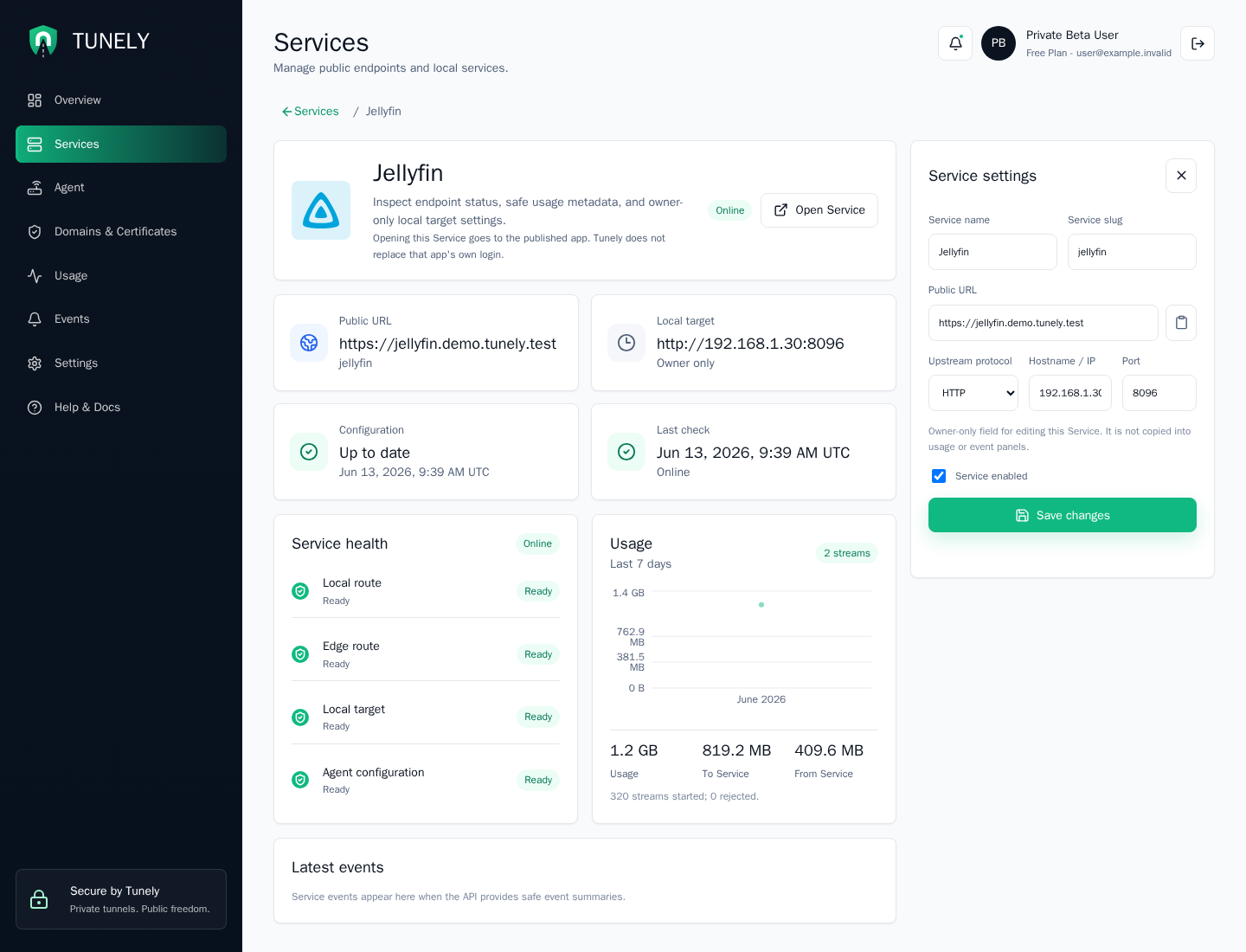
The detail page is used after a service exists. It shows the public URL, local target, configuration sync, last check, health states, usage, recent events, and editable service settings.
Opening a service goes to the published app. Tunely dashboard login does not replace the published app's own login. If the local app requires authentication, that authentication stays with the app.
Choose the Target Address
The target address must be correct from the agent perspective. With Docker, it can be a Compose service name such as jellyfin:8096. For Home Assistant, homeassistant.local:8123 is a common home-network address when the agent can resolve it. For other devices, a LAN IP address or local hostname is usually best.
Changes
When a service changes, the agent receives the new configuration through Tunely. Allow a short transition period until the agent has fetched and applied the new state locally.
Troubleshooting
If a service shows a warning, check these in order:
- Agent is online.
- Service is enabled.
- Target hostname or IP is reachable from the agent.
- Target port is correct.
- Latest events do not show route, DNS, or certificate issues.