Start with the dashboard
Create agents, publish services, manage domains, and inspect usage and events.
Learn the basic model, set up an agent, and manage services from the dashboard.
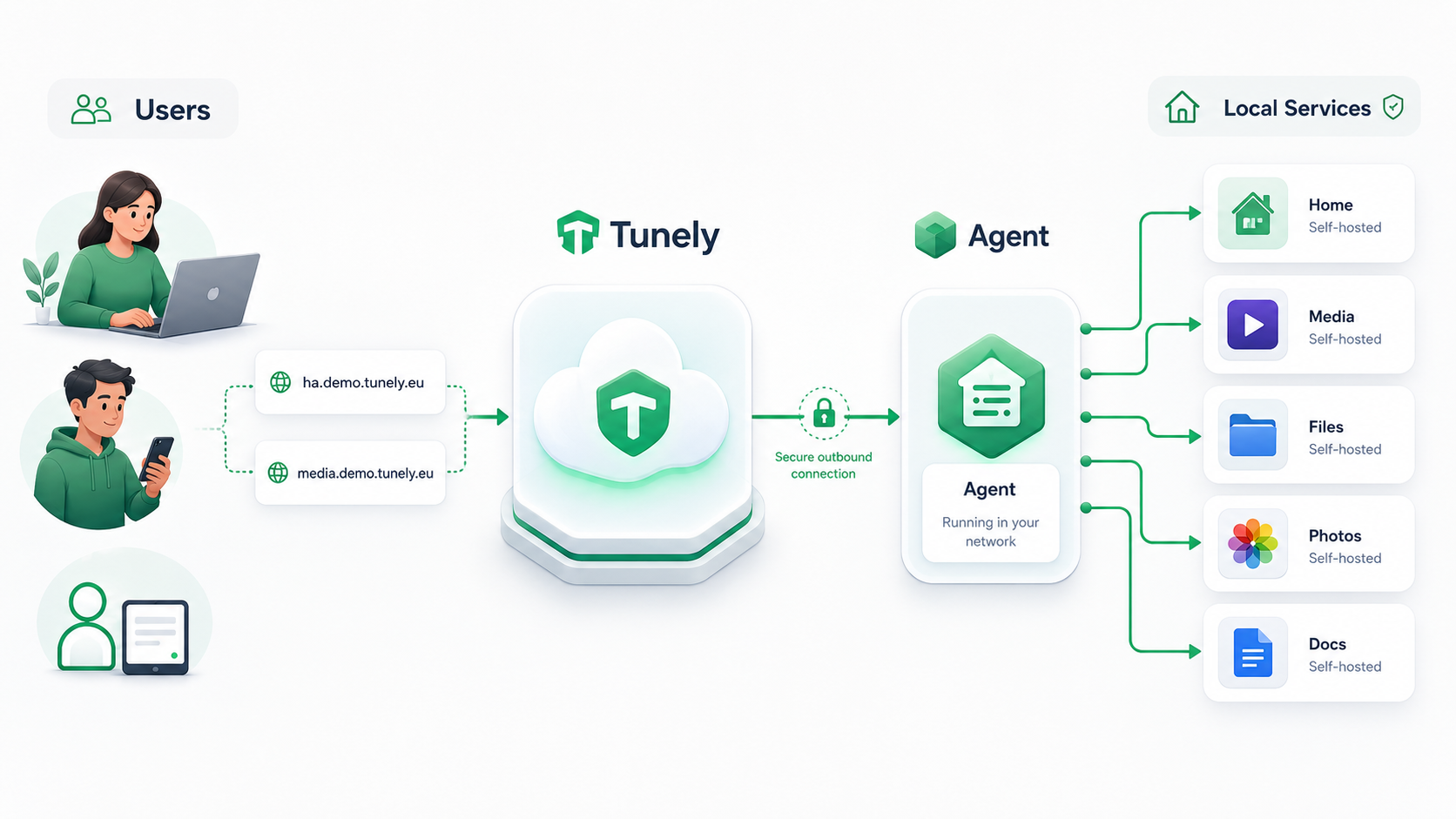
A user is someone outside the homelab who wants to reach a private service while traveling or from another network. They open a public Tunely address such as ha.demo.tunely.eu or media.demo.tunely.eu, instead of connecting directly to the home network. The Quick Start shows the shortest path from account to first reachable service.
Tunely acts as the public gateway for those addresses. It receives the connection and forwards the encrypted data stream to the agent that already has an outbound connection open to Tunely. You manage the public side in the dashboard, including domains and published service entries.
The agent runs inside the homelab and connects outward to Tunely. Over that connection it receives encrypted requests from users and forwards each request to the configured local service target. Choose the right installation path in the agent module overview or inspect the connected agent in dashboard agents.
Local services are the applications already reachable from inside your home network, such as Home Assistant, Jellyfin, or a NAS web UI. Tunely does not require them to expose ports to the internet; the agent reaches them by the same hostnames and ports you would use locally, such as homeassistant.local:8123 or jellyfin:8096. See publishing services for the fields used to map a Tunely address to a local target.
| Area | Content |
|---|---|
| Quick Start | Shortest path from account to first published service. |
| Dashboard | Dashboard workflows and screenshot-based user guidance. |
| Agents | Installation and operations paths for Docker, Home Assistant, and Synology. |
| Operations | Troubleshooting and maintenance notes. |