Quick Start
The quick start is the shortest useful path from a Tunely account to the first published service. If you are new to the component model, start with the overview on the home page first.
Flow
- Sign in to the dashboard.
- Select or create a namespace.
- Create an agent and copy the agent token.
- Install the matching agent module.
- Add a service with an internal target address.
- Check the published Tunely address.
1. Check the dashboard overview
The overview shows whether your namespace already has an online agent, published services, certificate status, and recent events.
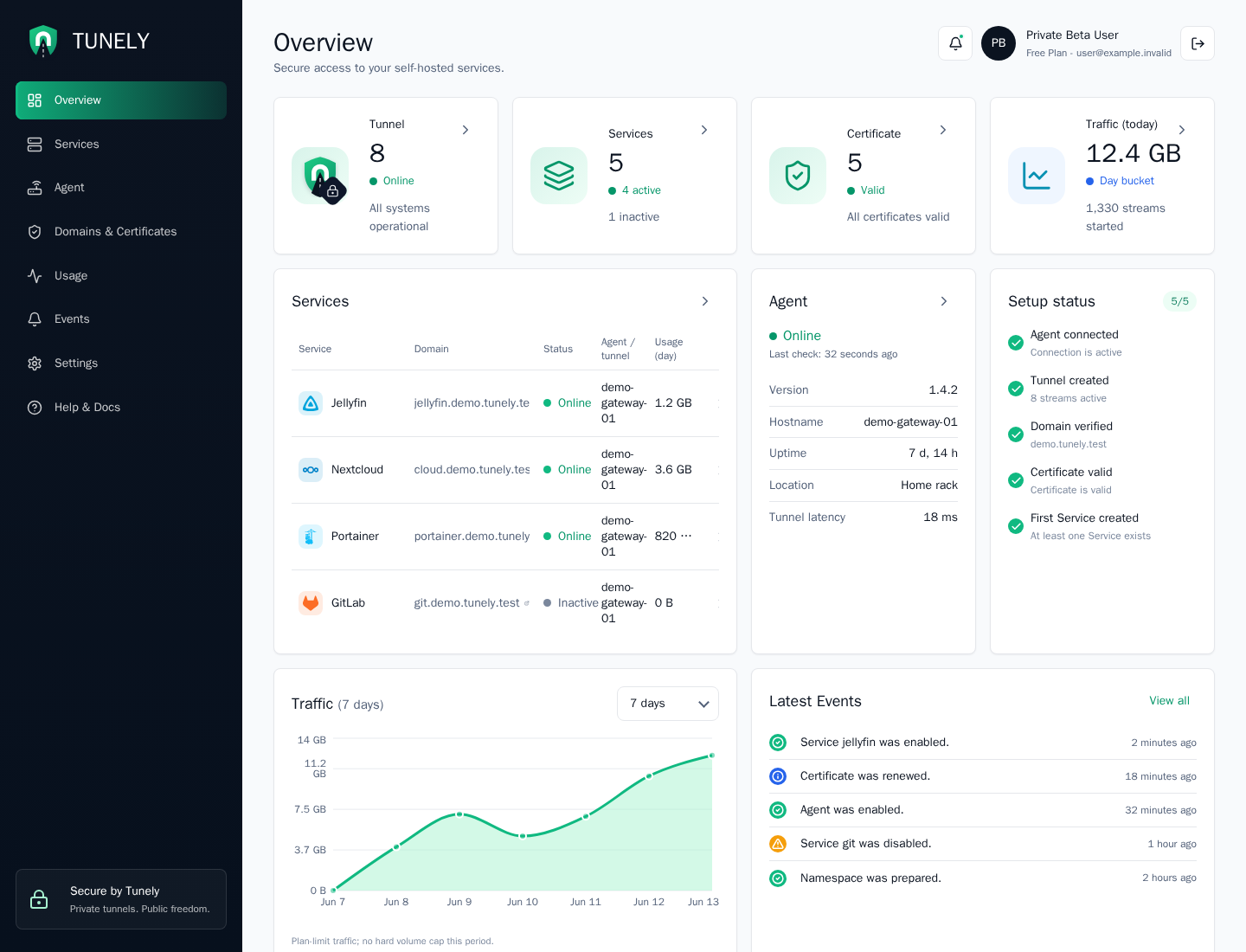
If this is a new namespace, start by creating the first agent. A namespace is the workspace for agents, services, domains, usage data, and events. One namespace is usually enough for a private homelab. Teams or separate environments can use multiple namespaces when they need clear separation.
2. Create and install an agent
An agent connects your local environment to Tunely. When you create an agent, the dashboard issues a one-time token. Use that token only for the intended agent installation.
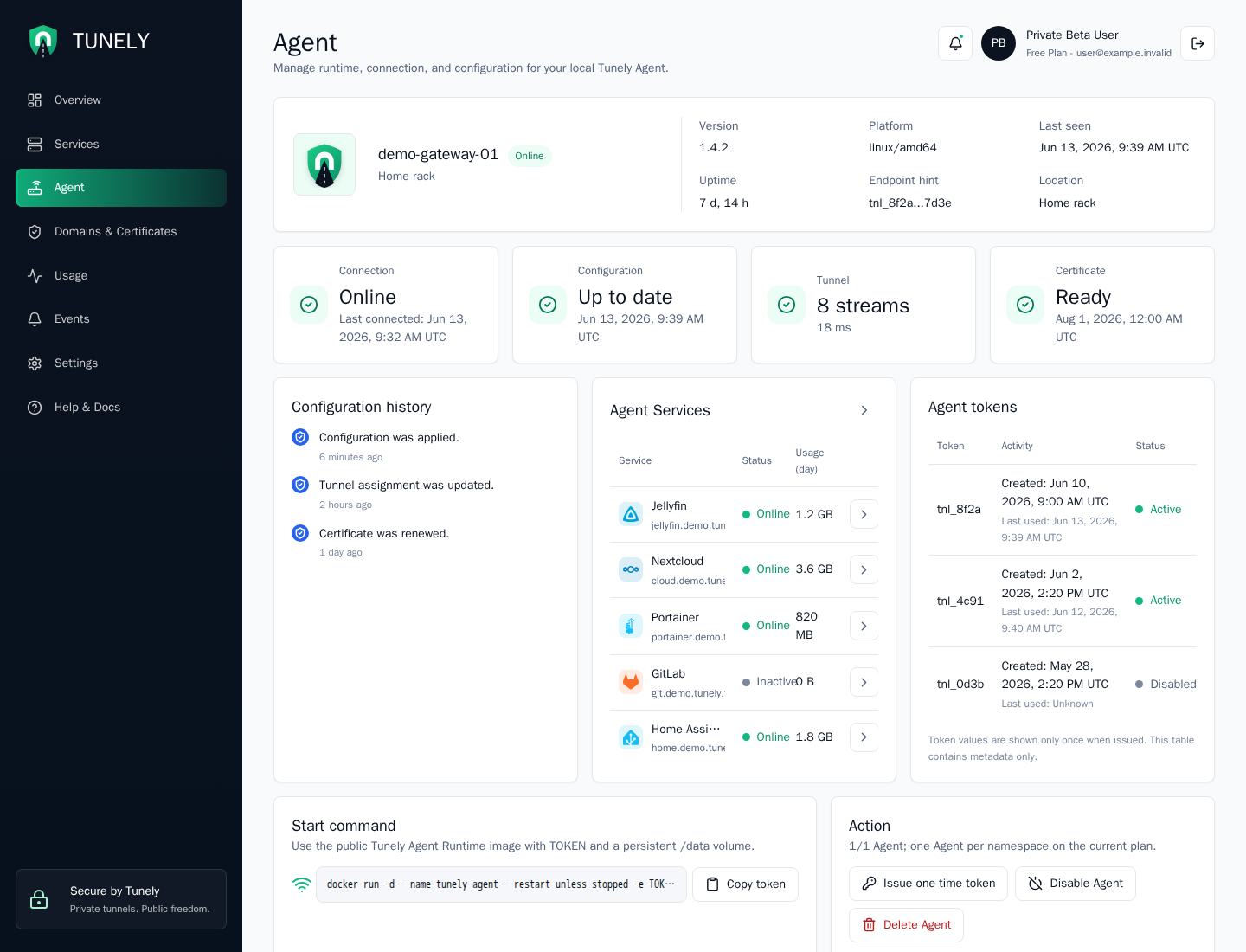
Keep the token private. Anyone with the token can connect an agent instance to the assigned configuration. If a token was exposed, remove the agent or rotate the token.
Choose the agent module that matches your environment:
| Environment | Recommended path |
|---|---|
| Docker host or server | Docker Agent |
| Home Assistant OS or Supervised | Home Assistant Add-on |
| Synology NAS | Synology with Container Manager |
3. Publish a service
A service is the local application that should be reachable through a Tunely address. The internal target address is the same kind of address you would use inside your home network to reach that service, as long as the agent can reach it too.
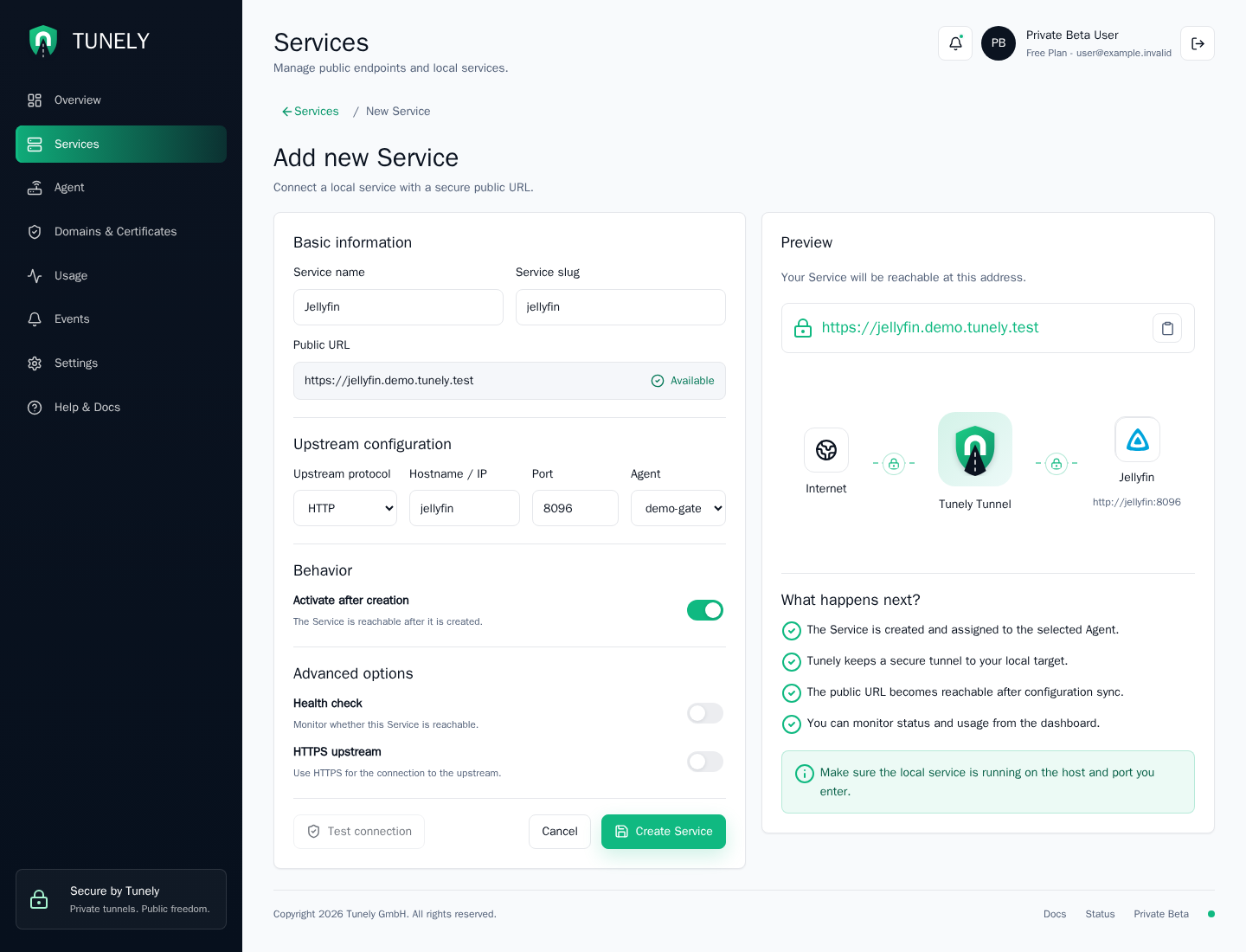
In the dashboard, protocol, hostname, and port are entered as separate fields. As compact addresses, common examples look like this:
homeassistant.local:8123
jellyfin:8096
nas.local:5000
Do not use localhost or 127.0.0.1 unless the target service runs inside the agent runtime itself. From inside a container or add-on, these addresses point to the agent runtime, not to the host or another device.
After the first test
Check the agent status, the service page, and recent events in the dashboard. If a service is not reachable, start with Troubleshooting.